
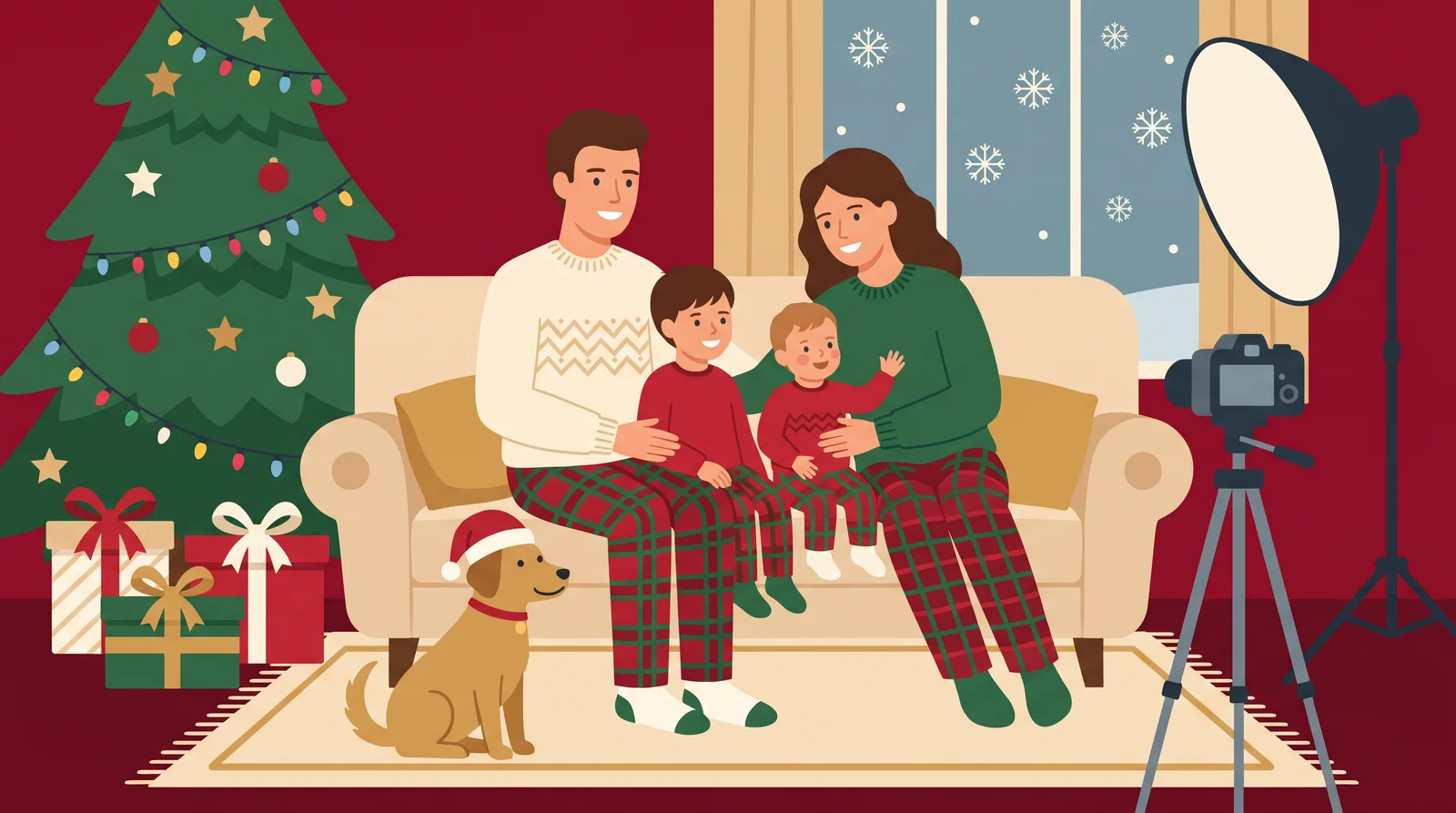
Christmas Family Photos: Ideas, Outfits, and DIY vs Studio vs AI
Search for "christmas family photos" and Google gives you a wall of Pinterest pins. When we checked the US results on 27 November 2026, every organic result in the top ten, on desktop and on mobile, was a Pinterest pin, and several weren't even in English. Pins are great for ideas. They don't tell you how to get a photo where the toddler is looking, nobody is blinking, the tree isn't a smear of orange, and Grandma, who lives 2,000 miles away, is in the picture.
That's what this guide is for. You'll get a short list of ideas by setting, a coordinate-don't-match outfit plan, a step-by-step phone method, an honest look at what a studio costs, and a clear section on where AI tools help and where they make your family look like strangers. We review AI headshot generators for a living, so we look closely at AI-processed faces, and holiday photos are where they go wrong most often.
First, Pick Your Route: DIY, Studio or AI
Decide early, because each route needs different preparation.
| DIY (phone or camera) | Studio or photographer | AI tools | |
|---|---|---|---|
| Cost | Free if you own a phone and something to prop it on | Session fee plus image fees (see prices below) | Free to subscription, depending on the tool |
| Time | 30–60 minutes including setup | Booking, travel, the session, then choosing images | Minutes per edit, plus checking |
| Control | Total: your home, your timing | The photographer leads the posing and light | High, but results vary |
| Realism | Real moment | Real moment | Varies: edits to real photos can look natural, fully generated scenes rarely do |
| Best for | Candid, at-home scenes; families who are relaxed on camera | Babies, big groups, people who hate posing, a polished card | Adding a missing relative, fixing blinks, cleaning up a background |
Many families combine routes: a DIY shoot at home, then one careful AI edit to fix the frame that's almost perfect. The same three-way choice applies to work portraits, and our guide to headshot photography: studio vs DIY vs AI covers it in depth.
Christmas Family Photo Ideas by Setting
Choose the setting first, because it decides the light, the outfits and the poses.
Indoors
- Tree decorating. One person hangs an ornament while a child points to where the next one goes. Shoot from the side so you see faces, not backs.
- Baking. Flour on noses, a tray of cookies, everyone around the kitchen counter. Kitchens often have good window light and plain cabinets that don't distract.
- Story time on the sofa. Everyone squeezed onto one sofa under a blanket, looking at one book. It's an easy way to get small kids to sit still.
- Matching pajamas, Christmas morning. Classic for a reason. Take it before the wrapping paper chaos, or lean into it for a second, messier frame.
- By the fireplace. Lovely mood, but firelight is dim. Keep the family closer to a window and let the fire sit in the background.
Outdoors
- Tree farm. Rows of trees make a natural background and give everyone a job: choosing, carrying, pretending to saw.
- A walk away from the camera. The family holding hands and walking down a path or snowy street. No one has to smile on cue, and it makes a great card.
- Porch or doorway at dusk. Wreath on the door, string lights on, shot just after sunset while there's still some blue in the sky.
- Local park in open shade. Easier light than full sun, and less squinting.
Creative
- The box grid. Each person photographed alone in or behind a cardboard box, then combined into one grid image. It's a fun way to include someone who isn't home, because their photo can be taken anywhere.
- Pets in the spotlight. The dog in a festive collar at the front, the family slightly out of focus behind it.
Outfits: Coordinate, Don't Match
The most dated-looking Christmas photos are the ones where everyone wears the same red sweater. Matching flattens a group into a block. Coordinating keeps each person distinct while the photo still looks planned.
Use this simple method:
- Pick a palette from your setting. For a cosy indoor scene with a tree: burgundy, cream and forest green. For outdoors in snow or a grey park: navy, camel and soft grey. For a tree farm: deep green, rust and cream.
- Give each person one or two colours from it. Spread the strongest colour across the group rather than putting it all on one person.
- Allow one pattern. A single subtle plaid or a cable knit adds interest. Several patterns fight each other.
- Favour texture over print. Knits, corduroy and flannel look rich on camera. Big graphics and logos pull the eye away from faces.
- Check hats, hoods and hair. Anything that shades the eyes costs you the expression.
Matching pajamas are the exception: they're meant to be fun, so use them in a playful, candid scene. For more on colours that flatter skin on camera, see our guide on how to look good in photos.
How to Take Christmas Family Photos at Home With a Phone
A recent phone is more than good enough. What spoils DIY family photos is almost always the light, the camera position or the timing, not the camera.
1. Find the light
Put the family facing a large window or an open door, during the day. Turn off the overhead lights: mixing warm ceiling bulbs with daylight gives skin an orange-and-blue cast. Skip the flash, which flattens faces and turns the tree into a black background.
2. Put the tree behind you, not on top of you
Place the family a few feet in front of the tree, then step back with the phone. The distance lets the lights blur into soft, warm circles. If your phone has a portrait mode, check the edges of hair and ears afterwards, because it can cut into them.
3. Get the camera height and distance right
Put the phone on a tripod or a stack of books at roughly chest-to-eye height for a standing group, lower for a sofa shot. Step back and use the 2x or 3x lens if you have one, rather than the wide lens up close. The wide lens stretches the people at the ends of the row, which is why someone always looks odd on the edge. Our guide to taking a professional headshot at home covers the same lens and lighting basics for a single portrait.
4. Focus on faces, then let the timer and burst do the work
Tap to focus on a face in the middle of the group. Use the self-timer so the photographer can join, and use burst mode, or a timer setting that takes several frames, so you get a series instead of a single shot. One frame almost always has someone blinking.
5. Shoot short rounds
Plan three or four short rounds of a minute or two, with a break in between. Kids and pets give you about one good round before they're done. Start with the photo you want most, usually the full group, while everyone is still fresh.
How to Get a Photo Everyone Likes
This is the part no Pinterest board can solve. A group photo is only "good" if every person in it is happy with how they look. A few habits make that far more likely.
- Stagger heads. Put people at different heights, some sitting and some standing, so no face is hidden behind a shoulder.
- Bring everyone close. Gaps between people look awkward in the final crop. Touching shoulders looks warmer.
- Angle bodies towards the middle. It's more flattering than square-on and pulls the group together. Our headshot poses guide has natural options that also work in group photos.
- Get the look at the camera. Just before the timer fires, the person nearest the camera says something silly or makes a noise. Kids and dogs look up; adults laugh.
- Seat little kids on laps. A child on a parent's lap stays in the frame. A child standing at the end of the row wanders off.
- Put pets at the front, at the family's level. Have a treat in the hand that's out of shot.
Choosing the frame for the card
When you have 80 near-identical bursts, sort them in two passes. First, delete any frame where someone's eyes are closed or a face is blurred. Then look at the rest at the size they'll be printed. A card photo is small, so expressions and a clean background matter more than tiny details. Send your top three to the family and let them vote. It takes ten minutes and saves the "why did you pick the one where I look like that" conversation in January.
Booking a Studio or Photographer: What It Actually Costs
Studios give you controlled light, a photographer who handles posing, and someone whose job is to get the toddler to smile. You pay for that, and pricing is often split so the headline number looks small.
Here's what JCPenney Portraits, one of the studios Google cites for this search, lists on its own pricing pages as of 27 November 2026:
- Session fee: $14.99 per person in the photo, with images and products sold separately.
- Extended session fee: $24.99 on top of the per-person fee, required for groups of 8–12.
- Digital images: $59.99 for one image, $79.99 for three, or $184.99 for the full digital album ($134.99 with a $50-off offer running through 31 December 2026).
- Retouching: $9.99 per image.
- Perks Club: $39.99 for a two-year membership that waives the per-person session fees.
So a family of four that buys one digital image would pay about $120 ($59.96 in session fees plus $59.99 for the image), before any prints or retouching. Offers change often, so check the current price before you book.
If you're comparing independent photographers, ask the same questions: Is there a session fee? How many edited images are included? Are digital files included or sold separately? Will the photos arrive in time to order cards?
Where AI Helps With Christmas Family Photos, and Where It Fails
None of the pages that rank for this search cover AI. But many families now use it, often without thinking about it. Here's an honest view from people who look at AI-edited faces every day.
Where AI genuinely helps
- Fixing the blink. Google's Best Take, introduced with the Pixel 8, creates "a blended image from a series of photos to get everyone's best look," according to Google. Burst mode plus a tool like this is the most useful AI feature for group photos.
- Adding the photographer. Google's Add Me feature, introduced with the Pixel 9, is designed so you get a group photo "with everyone who was there — photographer included" without a tripod.
- Adding someone who couldn't be there. Editors with generative fill can combine a separately taken photo of a relative with the group shot. It looks believable only when the two photos have similar light direction, angle and size.
- Cleaning up the background. Removing a laundry basket, a stray cable or a stranger in the park is now quick and usually looks natural.
- Light retouching. Evening out skin, brightening eyes, correcting colour. Our roundup of the best AI for photo editing compares the tools on exactly these jobs.
Where AI still looks fake
- Fully generated family scenes. Generating the whole picture from selfies or a text prompt rarely gives you people who look like your family, especially children, whose faces change fast and who don't have many reference photos.
- Hands and touching. Linked arms, a hand on a shoulder, a child on a lap: anywhere bodies overlap is where extra fingers and melted sleeves appear.
- Faces that drift. General image tools redraw the whole picture, so an eyebrow, a jaw or a smile can quietly change. Our guide to AI image to image for portraits explains why, and how to keep a likeness.
A quick check before you print
Zoom to full size and check every face against the original photos. Look at eyes, teeth, ears, hair edges, hands and the outline where each person meets the background. Then look at it at card size. Keep the original files, and tell the family about any edits. Adding Grandpa to the photo is a lovely gesture when everyone knows. It's an uncomfortable surprise when they find out later.
If you need a clean individual portrait of each family member for a box-grid card or a family website, a dedicated AI headshot generator is more consistent than a general editor. Our list of the best free AI headshot generators is a good starting point.
A Simple Plan for This Year
- This week: choose your route. If it's a studio, book early so the photos arrive in time for cards.
- Choose the setting and palette together, then plan outfits from what people already own.
- Shoot on a bright day, in short rounds, with the timer and burst on.
- Sort in two passes, shortlist three and let the family vote.
- Edit lightly. Use AI to fix and finish, not to invent, and check every face before you print.
Frequently Asked Questions
Should we take Christmas family photos ourselves, book a studio, or use an AI tool?
Do it yourself if you have a tripod or somewhere steady for the phone, a bright window and a family that's happy to try a few times. It's free and you control everything. Book a studio or photographer if you want posing help and reliable light, or if there are very young children or a big group. At JCPenney Portraits, for example, the session fee is $14.99 per person and images are sold separately. Use AI to fix or finish a real photo, such as adding someone who couldn't be there or tidying the background, rather than to invent the whole scene.
What should a family wear for Christmas photos?
Coordinate rather than match. Choose two or three tones that suit the setting, such as burgundy, cream and forest green indoors, or navy, camel and grey outdoors, and give each person one or two of them. Solid colours and textured knits photograph better than busy prints, and one person can wear a subtle plaid. Avoid large logos, slogans, athletic wear and hats that shade the eyes.
How do you take good Christmas family photos at home with a phone?
Put everyone facing a big window or an open door, turn off the overhead lights and skip the flash. Put the phone on a tripod at about chest-to-eye height, step back and use the 2x lens if your phone has one, tap to focus on a face in the middle of the group, and use the self-timer and burst mode. Keep the tree or string lights a few feet behind the family so they blur into a warm glow.
What are easy Christmas family photo poses with kids or pets?
Give people something to do rather than lining them up: baking, decorating the tree, reading a story on the sofa, or walking away from the camera holding hands. Put small children on a parent's lap and pets at the front, at the family's level. Shoot in bursts, and ask the person behind the camera to make a noise just before the timer fires so everyone looks up at the same moment.
Can AI create or fix a Christmas family photo if someone can't be there?
Yes. Editors with generative fill and some phone features can merge separate photos, swap a background or combine the best faces from several shots. It works best when the photo of the missing person has similar light, angle and size to the group shot. Check faces, hands and edges at full size before you print, keep the original photos, and tell the family that the image was edited.
Sources
- JCPenney Portraits: Photo Session Info & Pricing (session, extended session, retouching and Perks Club prices), checked 27 November 2026
- JCPenney Portraits: Digital Photo Album (digital image prices), checked 27 November 2026
- Google: "Google Pixel 8 and Pixel 8 Pro: Features, specs, price" (Best Take)
- Google: "New Pixel 9, Pixel 9 Pro, Pixel 9 Pro XL: Specs, design, price and more" (Add Me)
- Google US search results and AI Overview for "christmas family photos" and "christmas family photos ideas", retrieved via DataForSEO on 27 November 2026